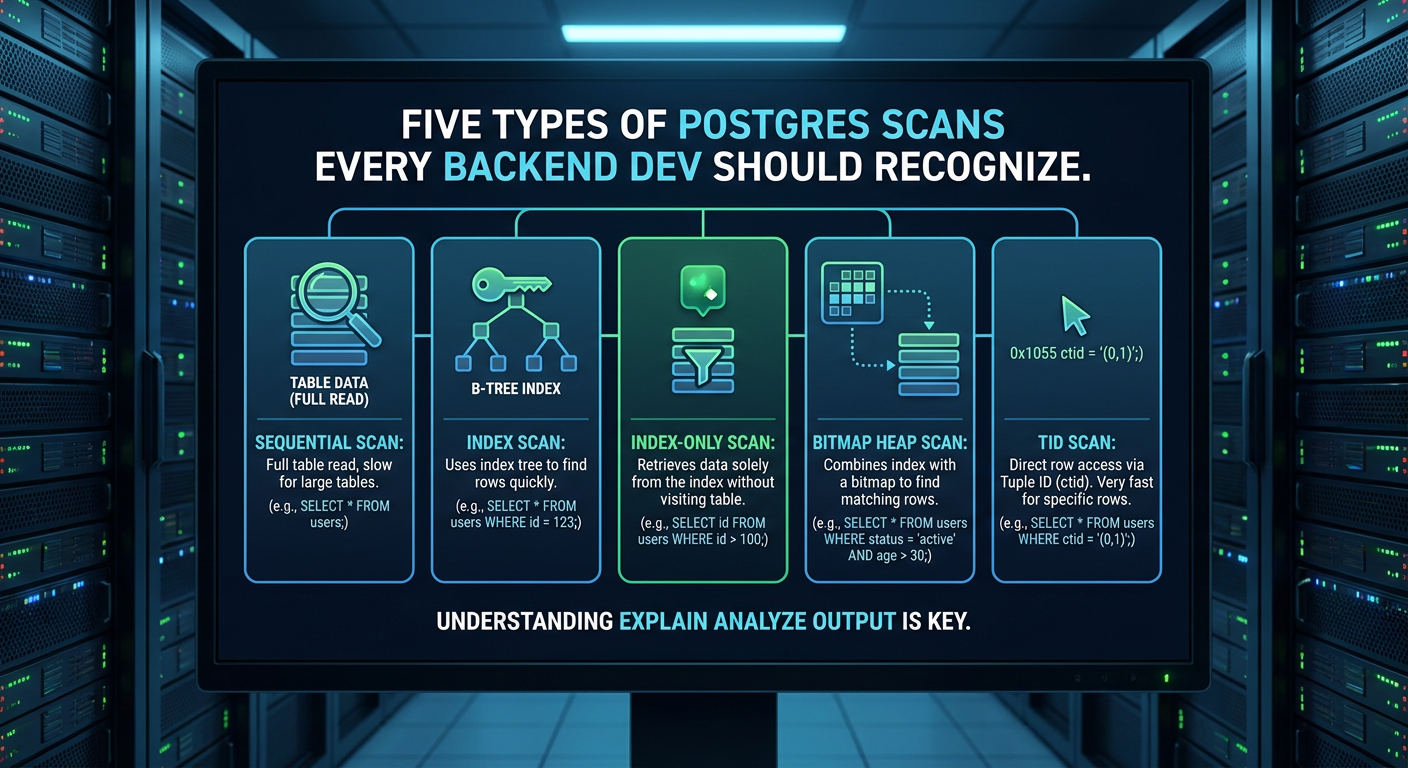
Reading a Postgres EXPLAIN output is like reading a flight itinerary — the destination is obvious, but you need to understand each leg before you can say whether the routing makes sense. Scan types are the first leg. There are five of them, and each one tells a different story.
1. Sequential scan (Seq Scan)
A sequential scan reads every page of a table in disk order. It's the baseline — no index, no shortcuts.
Seq Scan on orders  (cost=0.00..4821.00 rows=200000 width=48)
  Filter: (status = 'pending')
When it's correct: The planner chooses a seq scan when the filter is non-selective — if you're fetching more than 10–20% of the table, walking the heap is faster than bouncing between an index and heap pages. This is especially true on small tables.
When it's a problem: A seq scan on a large table with a highly selective filter (returning fewer than 1% of rows) means either no index exists or the planner's statistics are stale. Run ANALYZE and re-check.
2. Index scan
An index scan reads the index to find matching row locations (TIDs), then fetches each row from the heap.
Index Scan using orders_status_idx on orders
  (cost=0.43..8.45 rows=1 width=48)
  Index Cond: (status = 'pending' AND created_at > '2026-01-01')
Each heap fetch in an index scan is a random I/O. On spinning disks this matters a lot; on NVMe it's nearly free. Keep that in mind when interpreting costs on cloud instances.
3. Index-only scan
If the index contains all columns the query needs, Postgres never has to touch the heap. This is the fastest scan type for selective queries on well-designed indexes.
Index Only Scan using orders_covering_idx on orders
  (cost=0.43..4.45 rows=1 width=16)
  Index Cond: (merchant_id = 42)
  Heap Fetches: 0
Heap Fetches: 0 is the number you want. If it's non-zero, your visibility map isn't current — run VACUUM.
4. Bitmap heap scan
A bitmap heap scan runs an index scan to collect all matching TIDs into a bitmap, then reads the heap in page order. It's the hybrid — more efficient than index scan for moderately selective queries.
Bitmap Heap Scan on orders  (cost=47.50..1842.30 rows=3200 width=48)
  Recheck Cond: (status = 'pending')
  ->  Bitmap Index Scan on orders_status_idx
        (cost=0.00..46.70 rows=3200 width=0)
You'll often see BitmapAnd or BitmapOr when the planner combines two indexes to answer a query — a technique that would be impossible with a plain index scan.
5. TID scan
A TID (tuple identifier) scan fetches rows by their physical location directly. You'll almost never write queries that trigger this — it's mostly used internally for CTID-based operations like CLUSTER or VACUUM.
Tid Scan on orders  (cost=0.00..4.01 rows=1 width=48)
  TID Cond: (ctid = '(0,1)'::tid)
Cheat sheet
| Scan | Best for | Watch out for |
|---|---|---|
| Seq Scan | Low selectivity, small tables | Large tables + high selectivity |
| Index Scan | High selectivity, random access | Many rows → many random I/Os |
| Index-Only Scan | Covering indexes | Heap Fetches non-zero means stale visibility map |
| Bitmap Heap Scan | Moderate selectivity | Lossy bitmaps on very large result sets |
| TID Scan | Internal ops | N/A for application queries |
The next time you see an unexpected scan type in an EXPLAIN, check selectivity first. If selectivity is fine, check statistics freshness. If that's fine, check your index definition.